
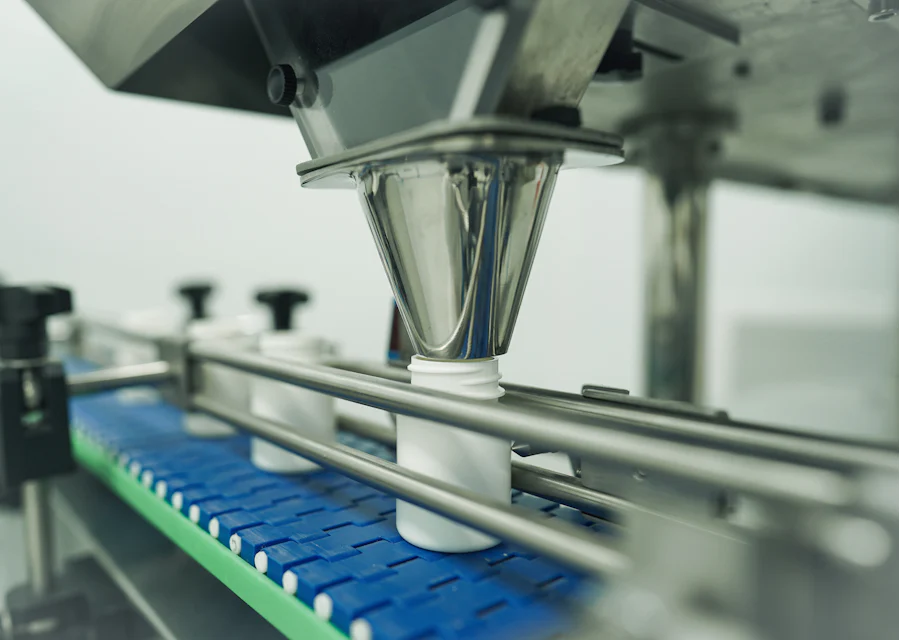
Food manufacturing ERP software connects your recipes, batch production, packing, stock, expiry dates and distributor orders in one system. It tells you what each batch actually used, what each product costs at today's rates and which stock must move first. For a food or FMCG maker, that is the difference between margin you planned and margin you actually keep.
Why food manufacturing ERP software is different
A general billing package treats every item the same way. Food and FMCG manufacturing does not work like that. Your raw materials have shelf lives. Your recipes lose weight in roasting, frying or drying. The same product goes out in five pack sizes. Your distributors return near-expiry goods. And a single missing roll of printed laminate can stop a packing line for a day.
Good FMCG ERP software in India is built around these facts. It tracks stock by batch and expiry, not just by quantity. It knows that 100 kg of input does not give 100 kg of output. It links packing material to the production plan. And it keeps one order book for every distributor, so orders taken on calls and WhatsApp are not lost. The sections below explain each of these areas in practical terms.
Recipes, batch sizes and process yield
Every product starts with a recipe, also called a bill of materials or formula. In an ERP, the recipe lists each ingredient and packing item with its standard quantity for a base batch, such as 100 kg. When you plan a batch of 250 kg, the system scales the recipe and shows the material you need to issue.
The more useful part comes after the batch. Supervisors enter what was actually issued and what actually came out. The ERP compares this with the standard and shows the difference:
- Input variance: more oil, sugar or spice used than the recipe allows.
- Process loss: moisture lost in roasting or drying, or oil absorbed in frying, compared with the expected loss.
- Output yield: good finished goods made, compared with what the recipe should give.
- Rework and waste: broken pieces, off-spec product and sweepings recorded separately.
When yield is recorded batch by batch, patterns show up quickly. One shift may waste more, or one supplier's raw material may lose more weight. Without these numbers, the loss is simply absorbed into the month-end stock difference and nobody knows why.
Batch coding, expiry and FEFO
Each production batch gets a batch number, a manufacturing date and an expiry or best-before date. The ERP carries these details from production into stock, packing, dispatch and the invoice. Raw materials with a shelf life, such as oils, dairy inputs, flavours and premixes, can be tracked the same way from the day they are received.
With batch and expiry in the system, the store can pick stock using FEFO: first expiry, first out. This is different from FIFO, which picks the oldest receipt first. In food, a newer lot can sometimes expire sooner, so FEFO is the safer rule. The ERP can show a near-expiry report every morning, so sales can push stock that has a few weeks left instead of writing it off later.
Batch records also help when a customer or inspector asks a question. You can show which raw material lots went into a batch, which checks it passed and which distributors received it. Keeping clear batch records like this helps with food-safety audits and customer complaints, whatever certification your business follows.
Pack sizes, SKUs and units of measure
A namkeen, spice or flour brand may sell one product in 50 g, 200 g, 500 g and 1 kg packs, plus a bulk pack for caterers. Each is a separate SKU with its own MRP, packing material and barcode. In spreadsheets, this quickly becomes a mess of near-duplicate rows.
An FMCG ERP handles this with a clean item master. The base product is made in kg. Packing converts kg into pouches, and pouches into cartons or shippers. The ERP converts units automatically, so the store knows that one carton of 200 g packs holds a fixed number of pouches and a fixed weight of product. Stock reports can then be read in kg, packs or cartons, depending on who is asking.
Packing material planning
Packing material often causes more line stoppages than raw material. Printed pouches, laminates, labels and cartons have long lead times, minimum order quantities and artwork that changes when MRP or design changes. If the old artwork is still in stock, it may be wasted.
The ERP links packing items to each SKU's recipe. When you plan next week's production, it shows how many pouches, labels and cartons you need, what is in stock and what to order. Reorder levels warn the purchase team before stock runs low. Printed items can be tracked by artwork version, so the store issues the correct one.
Distributor orders, schemes and returns
Most food and FMCG makers sell through distributors, super stockists or modern trade buyers. Orders arrive on calls, WhatsApp, email and through field staff. An ERP brings them into one order book, where each order moves from confirmed to packed to dispatched to invoiced.
- Party-wise price lists: distributor rates, MRP and margins applied automatically.
- Schemes: common trade schemes configured so they apply on the order and invoice.
- Batch on dispatch: the invoice shows which batch and expiry went to each party.
- Returns: expired or damaged goods recorded against the original batch and party.
- Outstanding: receivables by distributor and by salesperson.
Pending orders can also feed the production plan, so you make what is actually needed rather than what was made last week.
Records at each stage: spreadsheet vs ERP
| Stage | With spreadsheets | With food manufacturing ERP software |
|---|---|---|
| Raw material receipt | Bill entered, lot and expiry often skipped | Lot, expiry and quality check recorded at the gate |
| Batch production | Output written in a register | Issue, output, yield and loss recorded per batch |
| Packing | Pouch count estimated | Packs and cartons converted from batch output |
| Stock | Totals by item only | Stock by batch, expiry and location |
| Dispatch | Oldest stock picked if someone remembers | FEFO picking with batch on the invoice |
| Returns | Credit note without batch link | Return logged against batch and reason |
| Costing | Rates from an old file | Recipe cost from current purchase rates |
How to roll out an FMCG ERP without disrupting production
- List your products, pack sizes and recipes, and agree which units each team uses.
- Start with stock, batch and expiry tracking for finished goods and key raw materials.
- Add recipes and batch entries for your top-selling products first.
- Bring packing material planning in once recipes are stable.
- Move distributor orders into the system and stop parallel order sheets.
- Review yield and near-expiry reports every week with supervisors.
Our ERP implementation plan for SMEs explains how to stage this in more detail. If you also process milk products, the dairy ERP page covers the extra points that apply there.
Getting started with Pinakexa
Pinakexa is an industry-ready cloud ERP that runs in a phone browser, so supervisors can record batches from the production floor. We study your products and process, configure recipes, pack sizes and batch rules, import your Excel masters and train each team. See what we cover on our food and FMCG ERP page, or book a free demo and bring one of your real recipes and a distributor order to walk through.


