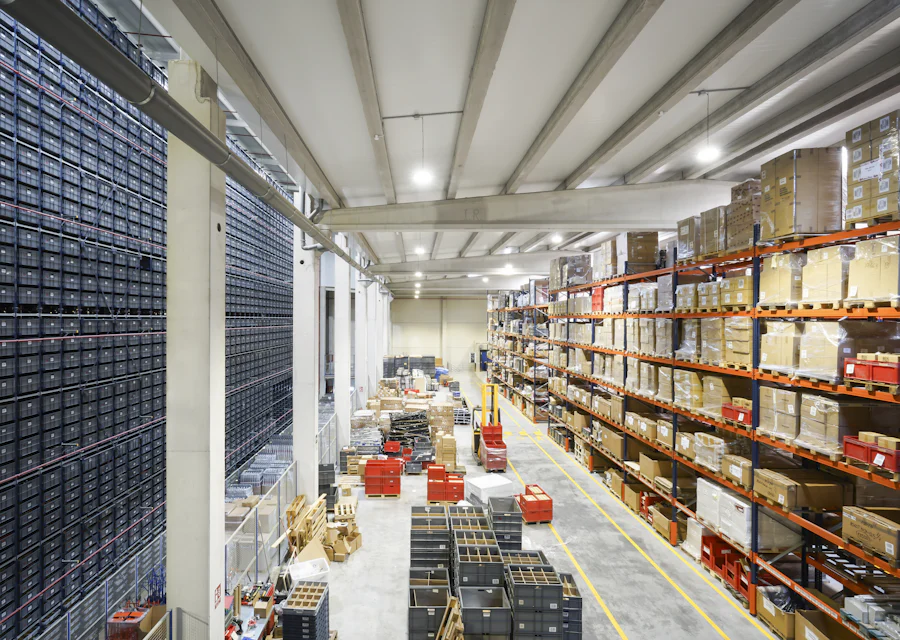
What is warehouse management software?
Warehouse management software records what is stored, where it sits and who it belongs to. For third-party warehouses and godown operators, it also has to bill storage and handling correctly. Pinakexa sets up a cloud ERP with client-wise stock, bin and rack locations, inward and outward entries and storage billing.
When goods are hard to find or records do not match, clients lose trust. Pinakexa gives your team one clear record of every movement, and gives clients clean statements they can rely on.
Key features of godown management software
We configure locations, clients and charges during setup.
- Client-wise stock with item, quantity and lot details
- Bin and rack locations recorded on inward and used on outward
- Inward and outward entries with vehicle and document details
- Storage and handling charges calculated for each billing period
- Stock statements for clients on demand
Benefits for warehouse owners
Warehouse management software turns daily floor work into records that clients can trust.
- Find any item fast with recorded bin and rack locations
- Settle client stock disputes with a clear movement history
- Bill storage and handling without Excel sheets
- Use phones on the floor for inward and outward entries
Who it is for
Pinakexa suits third-party warehouses, cold and dry godowns, C&F agents and transporters who also store goods. Transport businesses can also see our logistics ERP.
How to choose warehouse management software
Before you pick a system, check that it offers:
- Separate stock for each client
- Bin and rack locations on inward and outward
- Storage billing that follows your tariff method
- Phone-friendly screens for floor staff
- Client statements you can share on demand
Why warehouses move from Excel to software
Excel works when there are a few clients and a small godown. As clients, items and locations grow, sheets start to disagree and disputes follow. Warehouse management software from Pinakexa keeps one record for every inward, transfer and outward. Bills come from the same data, so what the client is charged always matches what was stored and moved.
How Pinakexa sets it up
We map your warehouse layout, clients and tariffs, configure the system, import opening stock, train your floor staff and go live. Book a free demo to see it.
Excel vs Pinakexa warehouse management software
| Area | Registers & Excel | Pinakexa ERP |
|---|---|---|
| Item location | In the supervisor's memory | Bin and rack recorded for each lot |
| Client stock | Mismatched records | Live client-wise stock |
| Inward and outward | Paper slips | Entered on phone at the dock |
| Storage billing | Calculated in Excel | Charges calculated per period |
| Client statements | Prepared by hand | Generated on demand |